Custom screens for the way your team works.
Extend standard CRM screens with task-specific workspaces. Sales, Supply and Analytics are initial examples, starting with Bitrix24.
Beyond the standard form.
Custom screens and embedded workspaces put the department's task first. An integration handler connects the workspace to its host application's launch context and supported data, with access rules checked for that integration.
The direction spans CRM, ERP and business processes. The currently documented implementation targets self-hosted Bitrix24; each additional connection needs its own validation.
Build orders without rebuilding your CRM.
The problem
Price lists, flexible reservations, pricing conditions and dependent fields do not fit neatly into standard deal forms. Making them work can demand deep, vendor-specific changes.
What MegaApp Sales changes
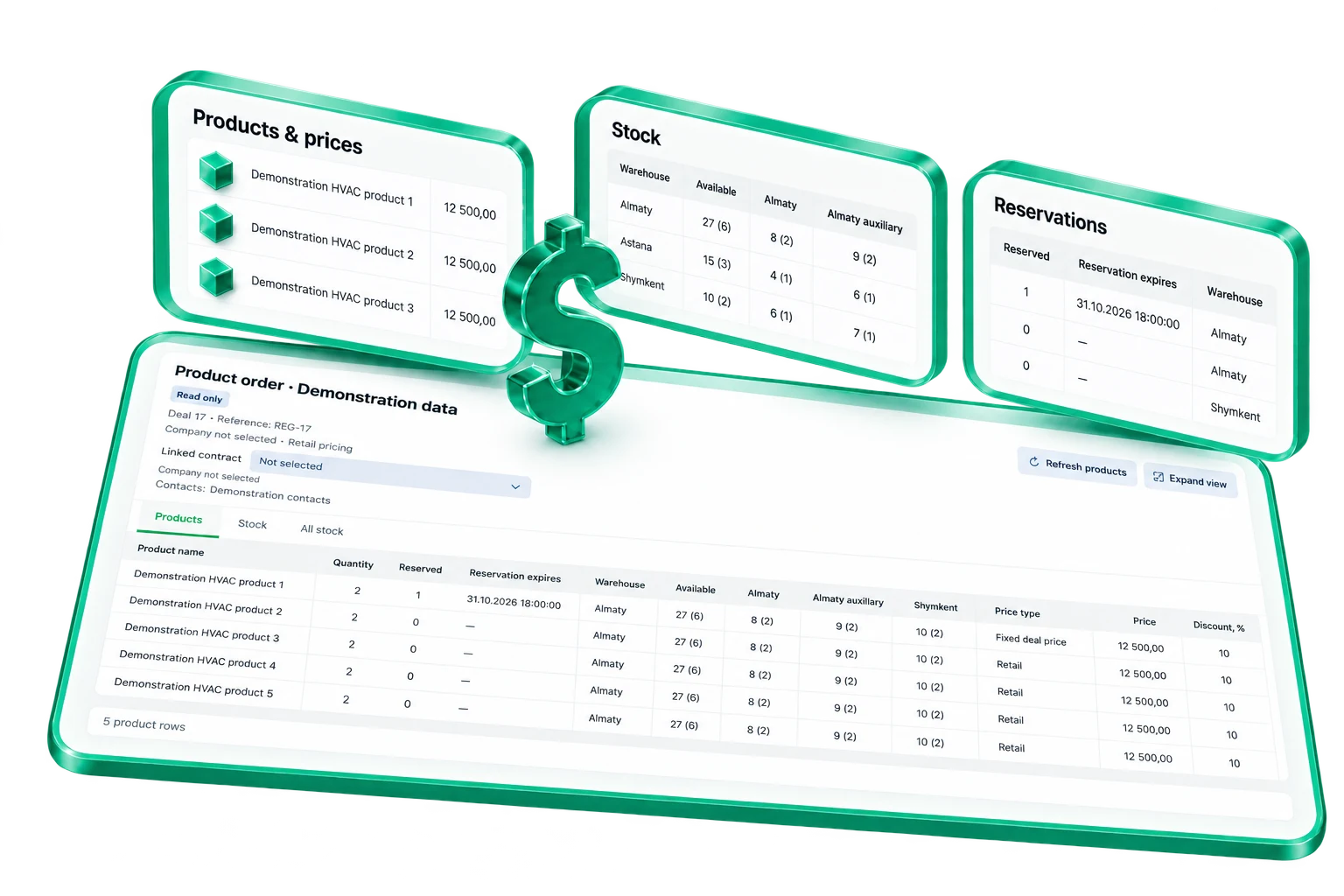
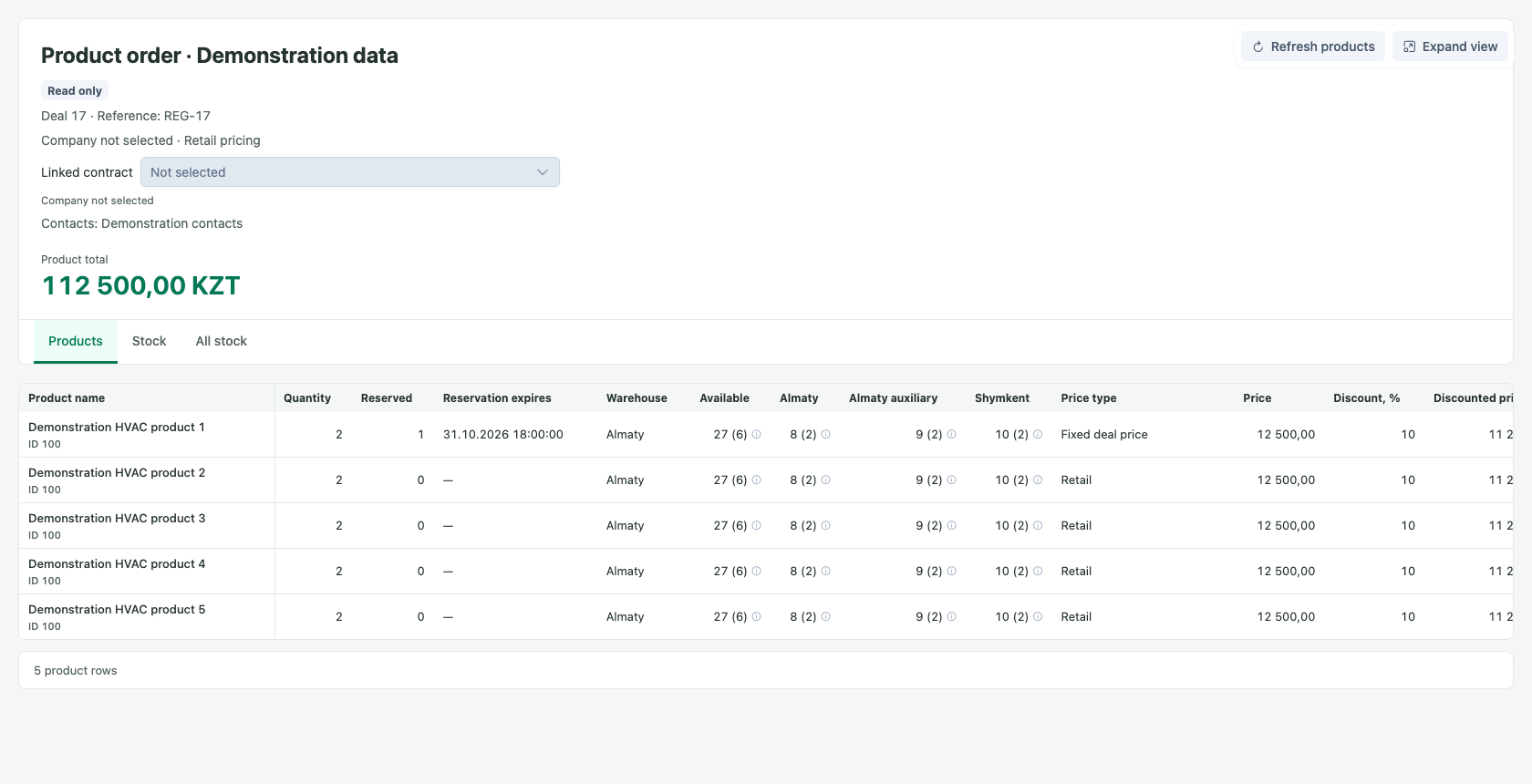
Deal Trade moves the task into a dedicated interface embedded in the deal. Products, prices, conditions and reservations work together, with access inherited from the CRM.
Keep the CRM workflows your team already uses, including accounting handoffs and document creation. Customize the working screen while staying connected to the existing process.
Keep prices and stock aligned with the business.
Supplier files change. Accounting keeps moving. Supply helps teams work with both without forcing them into rigid CRM templates.
Price files should not dictate your workflow.
The problem: suppliers send different columns and layouts. Reformatting every file to a fixed CRM template adds manual work and creates room for mistakes.
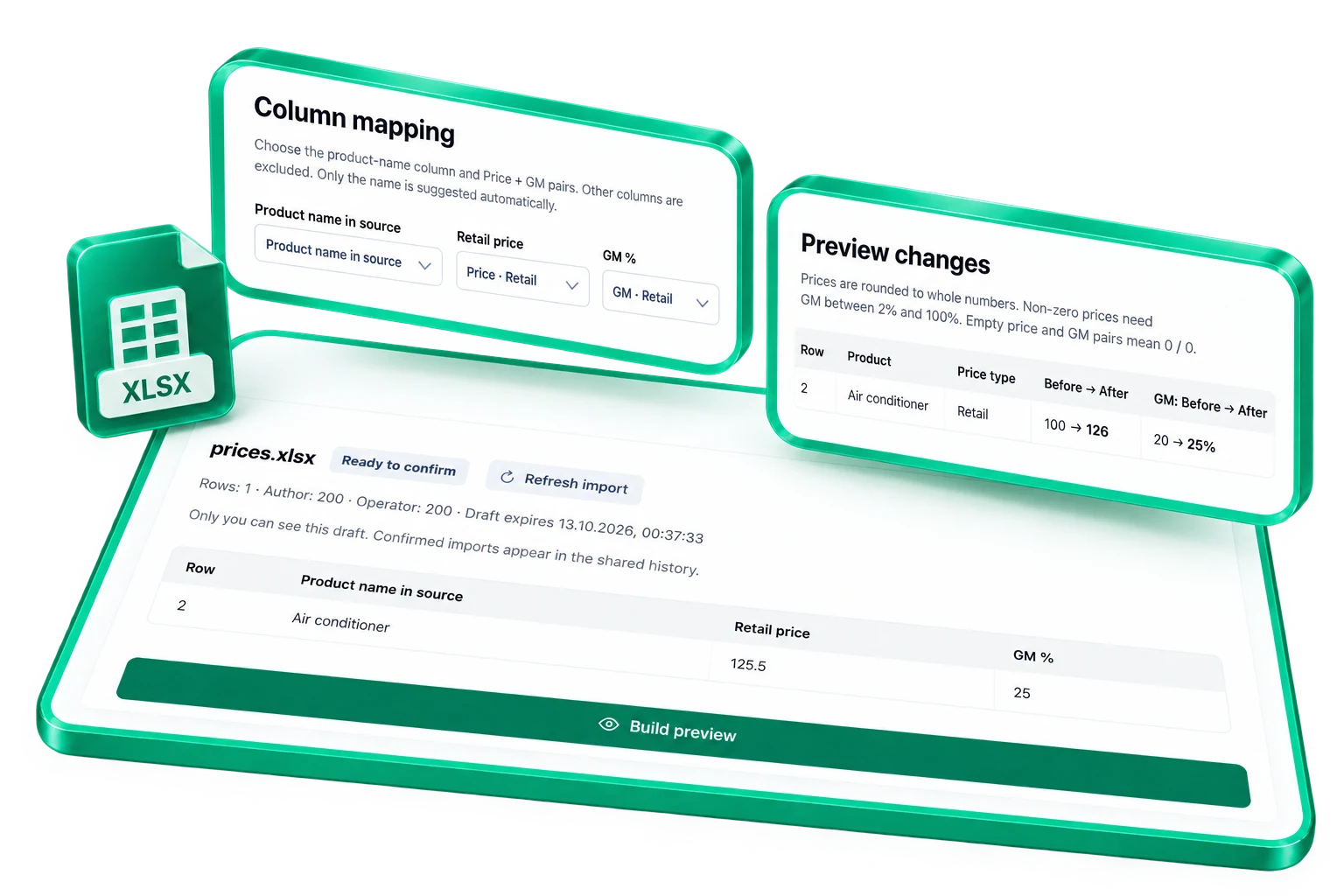
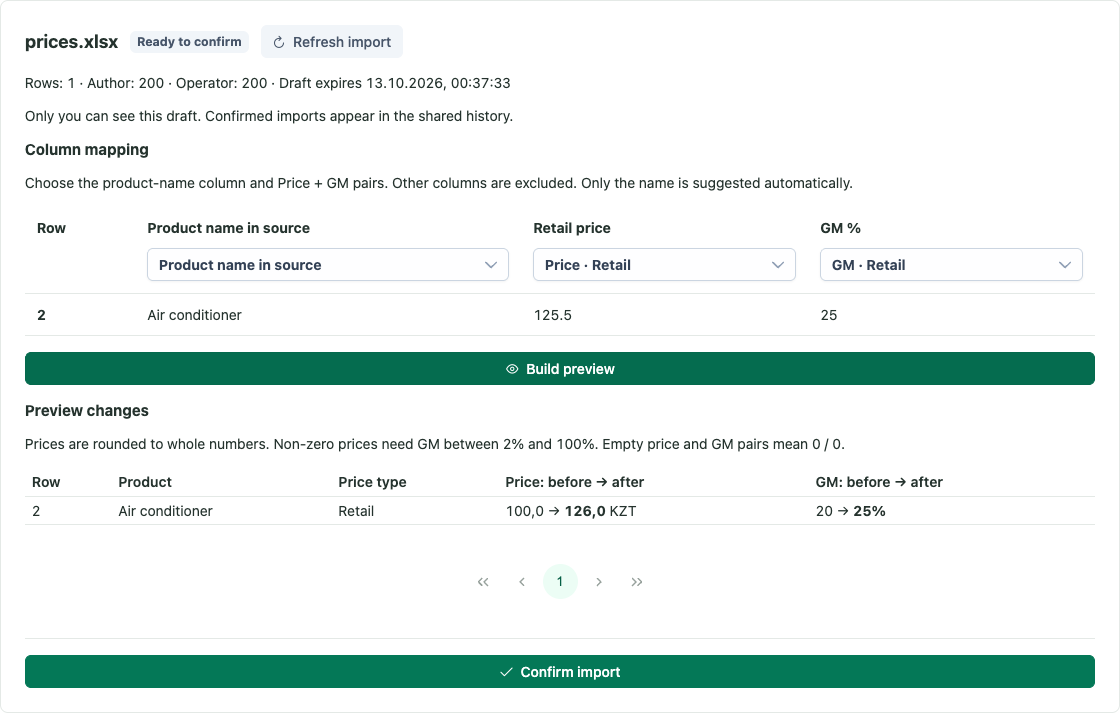
The solution: import XLSX price lists, map source columns to product, price and configured pricing-rule fields, and review the changes before applying them.
The mapping adapts the import to the supplier's file. Supported fields and formats are checked for your installation.
Find the gap between CRM and ERP stock.
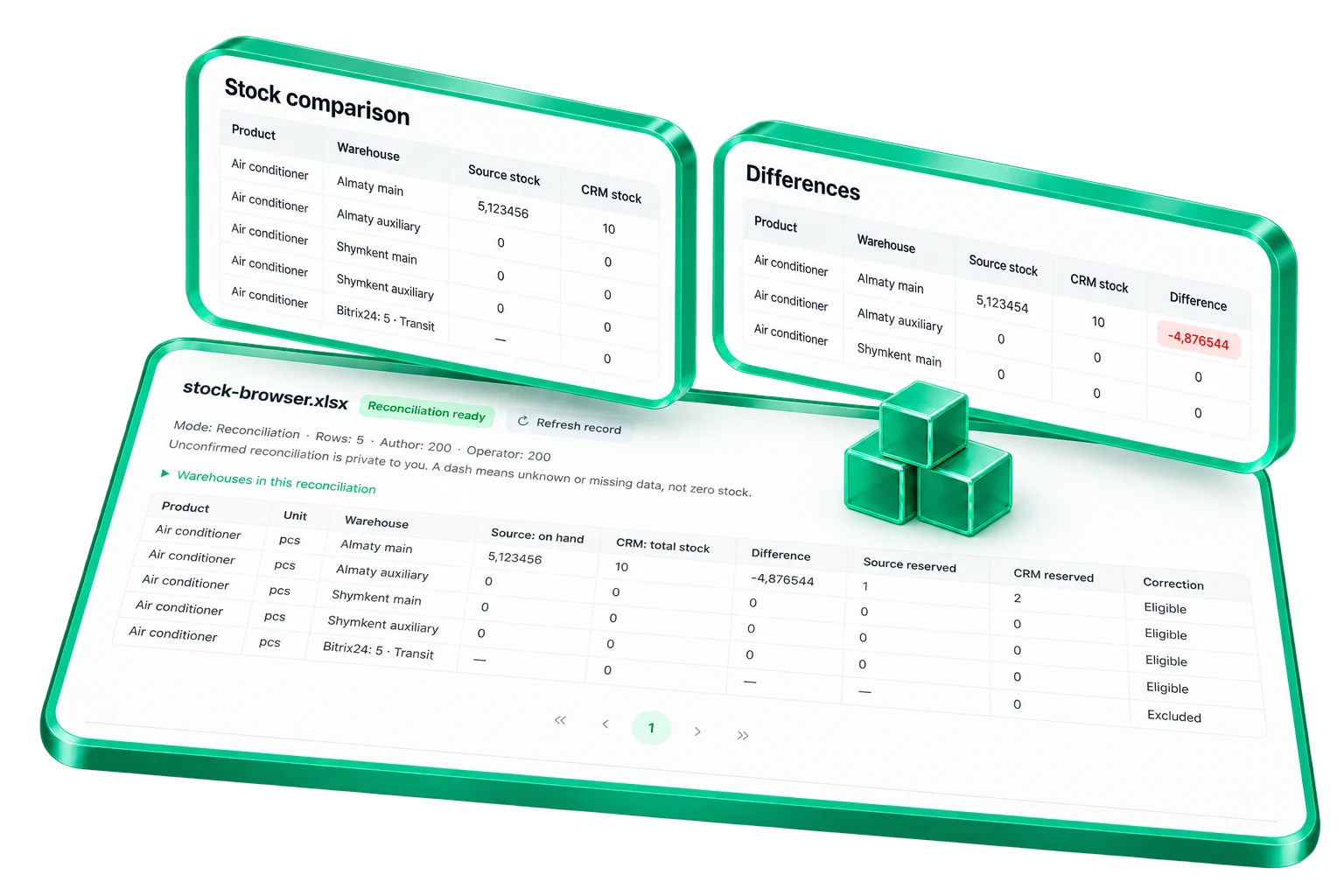
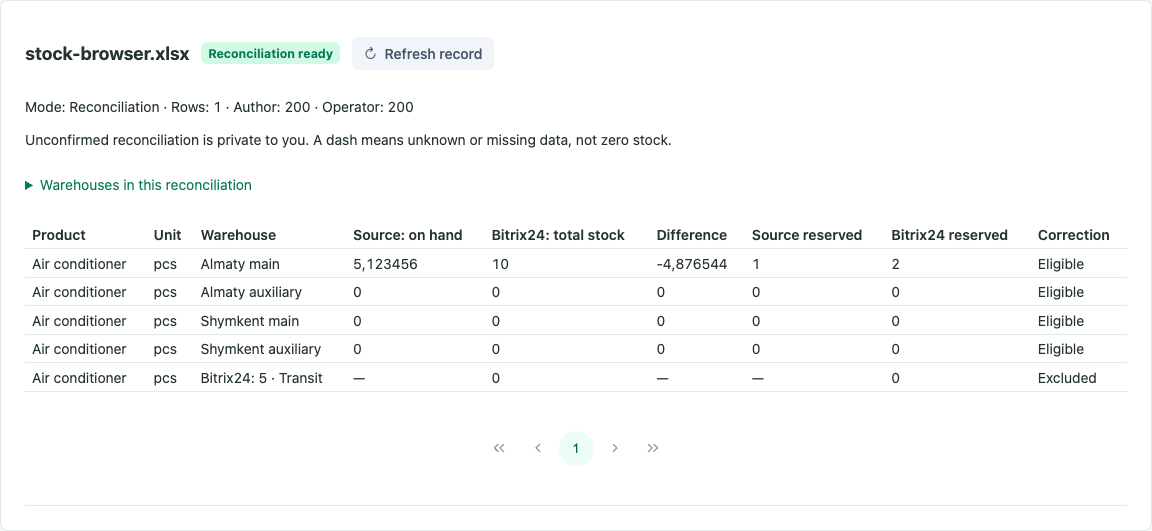
The problem: when warehouse accounting lives in 1C and several interfaces change stock, CRM records can drift from the ERP that owns the inventory.
The solution: compare CRM stock with a 1C report, identify discrepancies and prepare receipt or write-off corrections. Keep CRM useful for management decisions without replacing ERP accounting.
In the founder-described company workflow, this makes discrepancies visible within minutes. Timing depends on the data and report; this is reconciliation, not universal live synchronization.
Understand changes while you can still act.
The problem
A growing company changes every day. Hiring a dedicated analyst is not always practical, and built-in BI tools can make custom reporting difficult to extend.
What MegaApp Analytics changes
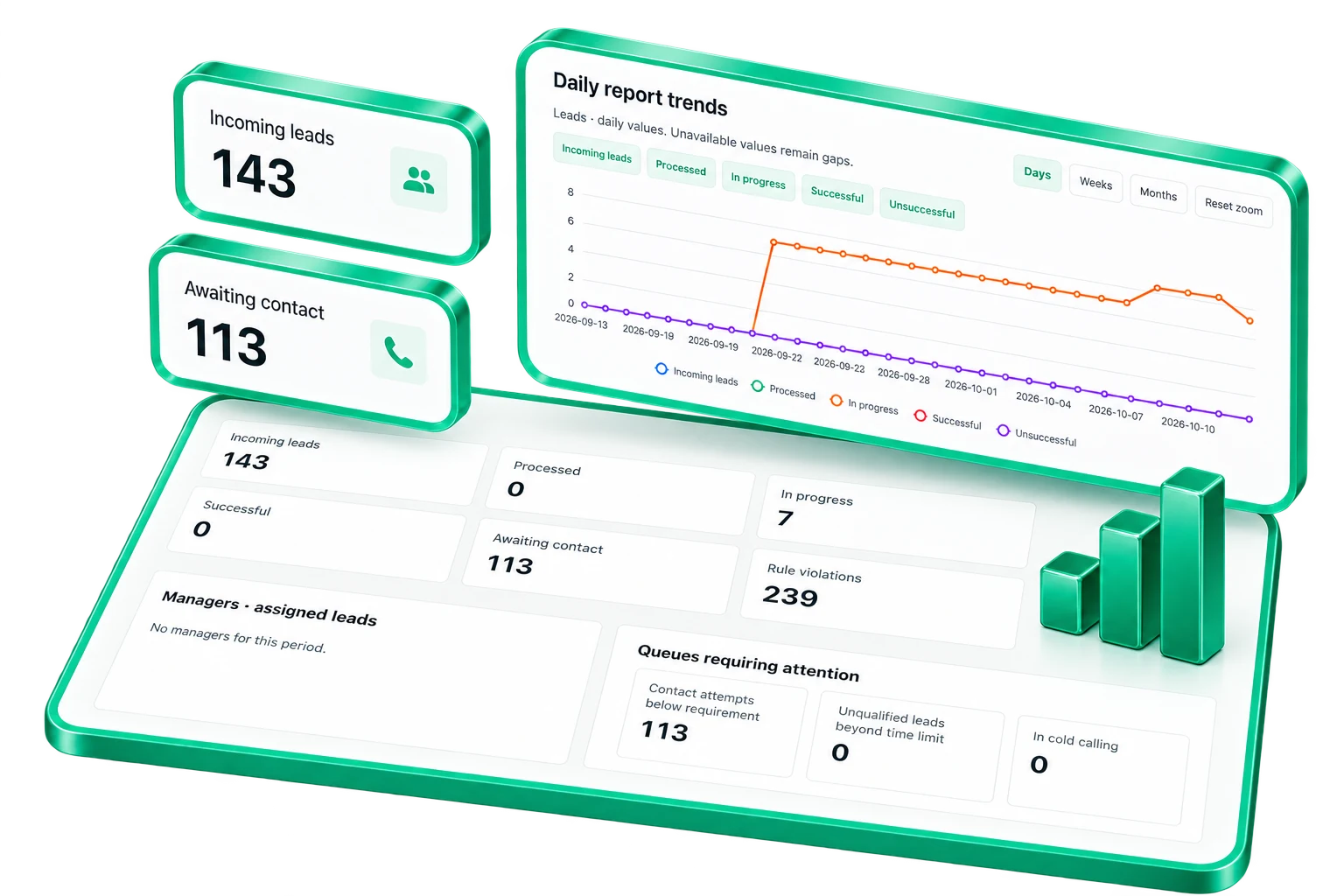
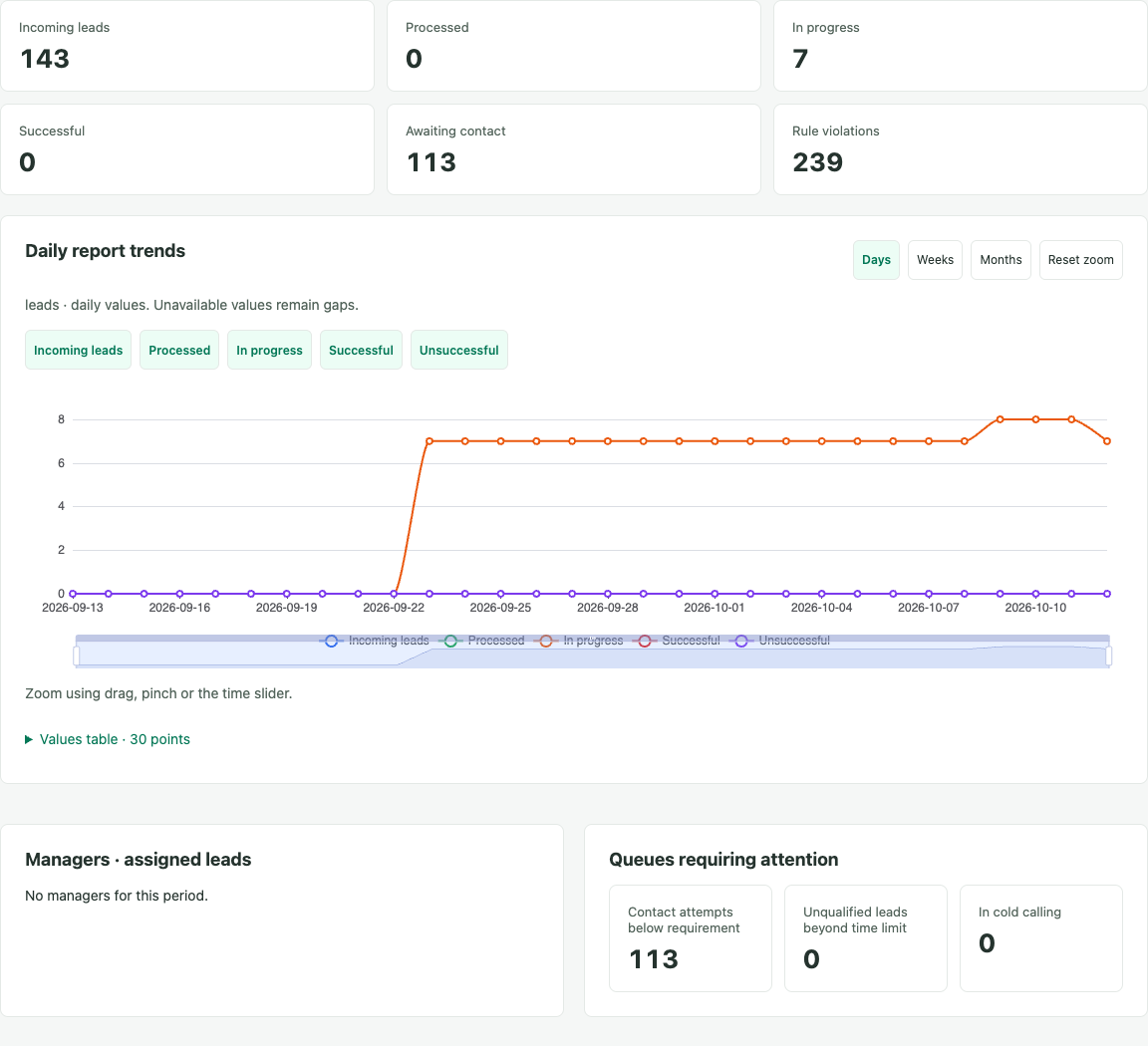
Use CRM-sourced data in a reporting workspace built around your questions. AI can help develop and adapt report logic without relying solely on a closed CRM or BI report designer.
AI-assisted report development is a workflow, not a built-in AI constructor. Current lead dashboards and chat summaries provide concrete starting examples.
Bring the report to the conversation.
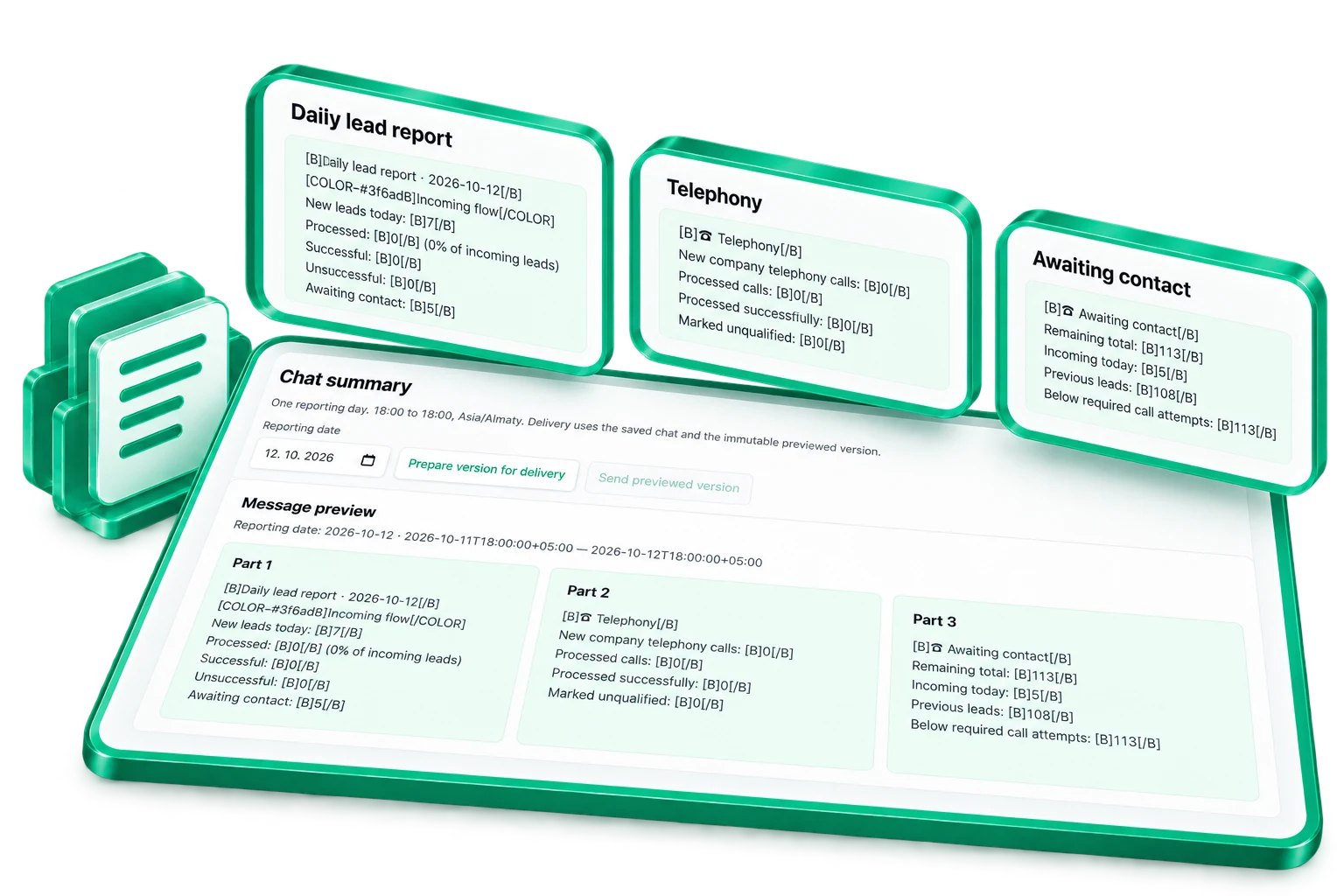
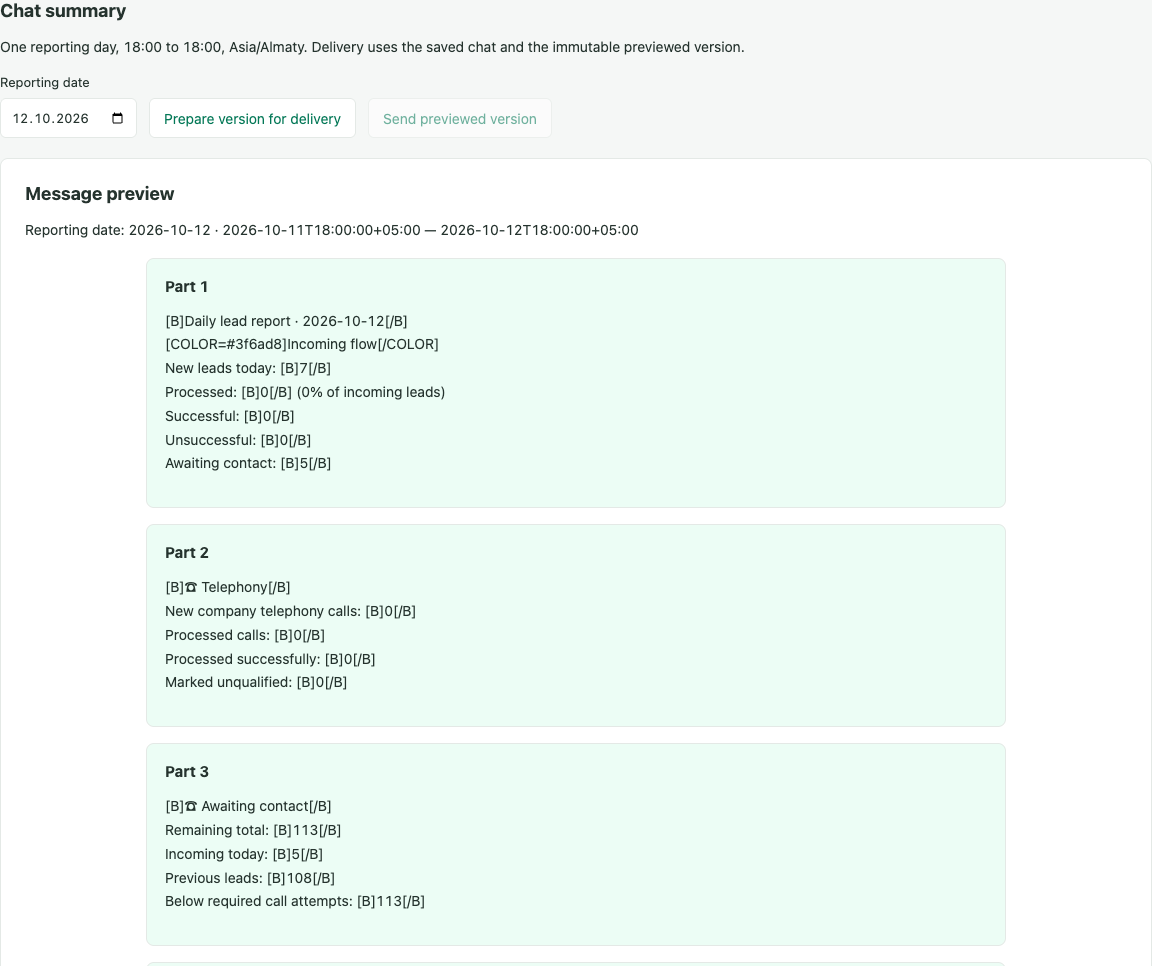
Chat reports help teams notice problems without opening another dashboard. A dashboard and its chat summary are two views of the same lead report, with access and delivery configured for the team.
Escalate missed response times.
Management escalation for overdue tasks and missed timings is planned, to help teams follow up on every enquiry promptly.
Plan delivery around the whole route.
Planned MegaApp Logistics business capabilities are not yet available.
The problem
A delivery chain can involve several warehouses, transport conditions, customs duties and taxes. Building one usable calculator inside a standard CRM deal often means extensive custom changes and disconnected workarounds.
The planned approach
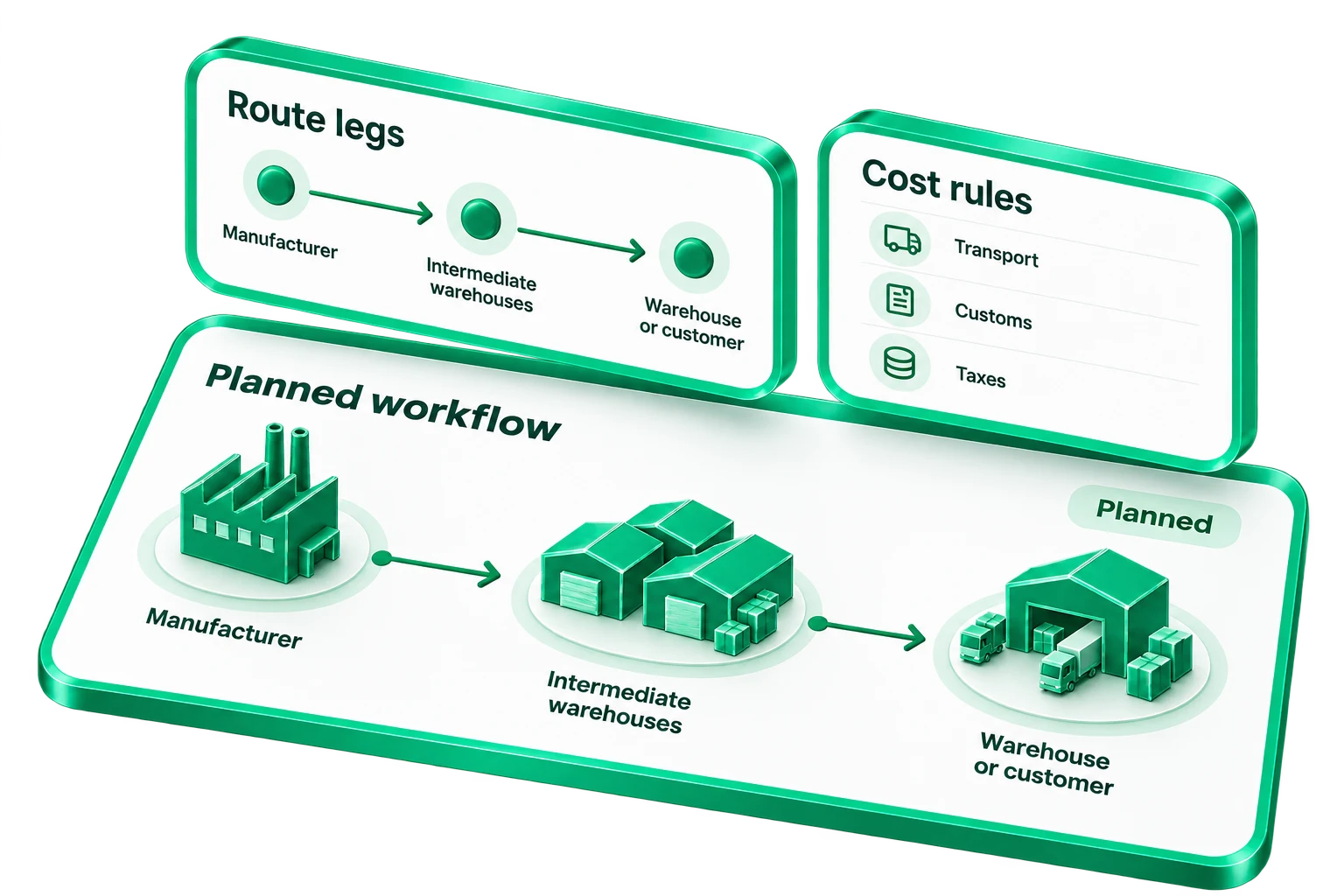
Bring the calculation into a dedicated screen embedded in the deal. Plan delivery from the manufacturer's factory through intermediate warehouses to your warehouse or customer. A change to one leg recalculates the affected downstream legs and the overall cost.
Adjust tariffs and calculation rules.
Your company will maintain transport tariffs, customs duties, taxes, import taxes and excise rules, with tools to adjust the calculation algorithms.
Rules are company-configured. Automatic official-rate updates are outside this planned scope.
Connect internal warehouse transfers.
The second planned scenario covers movements between your warehouses. ERP supplies products, warehouses and cargo parameters; MegaApp returns route and cost results and a transfer request.
ERP keeps inventory accounting and document posting. Each connection needs its own implementation and validation.
Check the fit before you commit.
Installation and configuration are part of the discussion. Local capability verification and acceptance in your portal are separate steps.
Your Bitrix24 environment
The current integration targets self-hosted Bitrix24, with a portal-side PHP module and separate application backend and frontend. Cloud compatibility has not been established.
Your working processes
Catalogue, warehouses, permissions and source reports need assessment. Some Supply behavior reflects installation-specific conventions.
A bounded first workflow
Start with a task such as deal preparation. Agree the team, data sources, support responsibilities and evaluation criteria.
What's still planned
The Logistics calculator, internal transfers and ERP exchange are planned. Further CRM and ERP integrations are assessed individually.
Let's assess your workflow.
Bring your questions about prices, stock and deal preparation.